Setting up the JazzHR integration
How to Set Up the JazzHR Integration with Brainner
In this guide, you'll learn how to configure your JazzHR integration with Brainner.
On JazzHR
1. Log in to your JazzHR account.
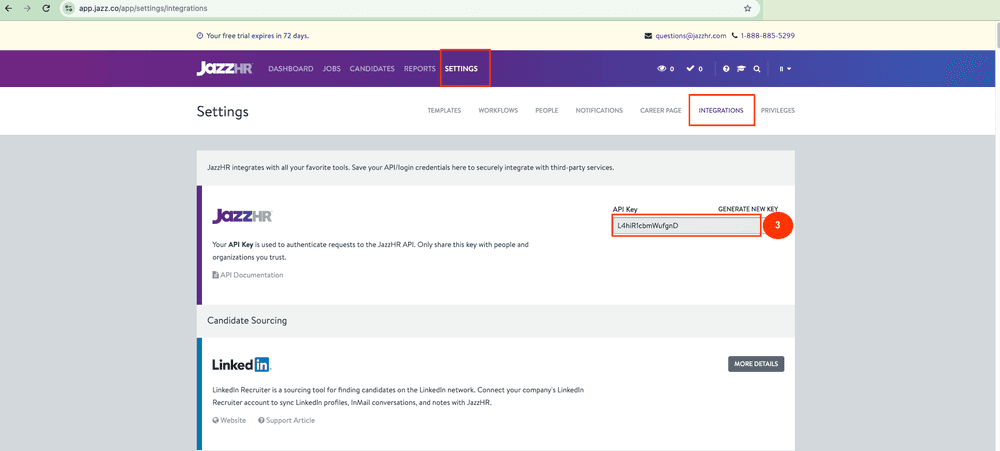
2. Navigate to Settings → Integrations, or go directly to https://app.jazz.co/app/settings/integrations.
3. Find your API Key and copy it.
On Brainner
Connect JazzHR to Brainner using your API Key:
4. Log in to your Brainner account.
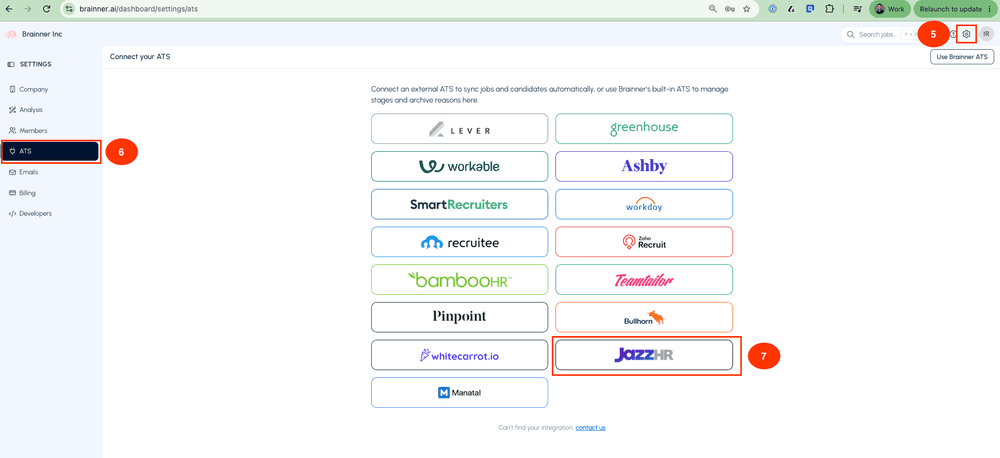
5. Click Settings in the top-right corner.
6. Click on the ATS tab.
7. Select JazzHR from the list of integrations.
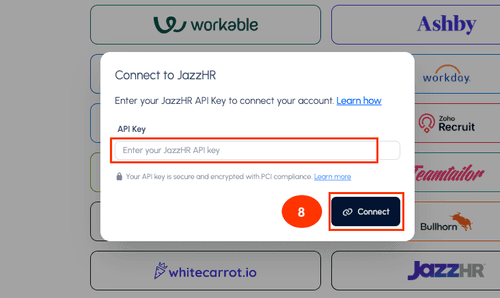
8. Paste your JazzHR API Key and click Connect.
Congratulations! Your JazzHR integration with Brainner is now active!
Need Help?
Contact your Customer Success Manager or reach out to our support team at support@brainner.ai.