How to Subscribe
In this guide, you’ll learn how to subscribe to our plans. Follow these steps:
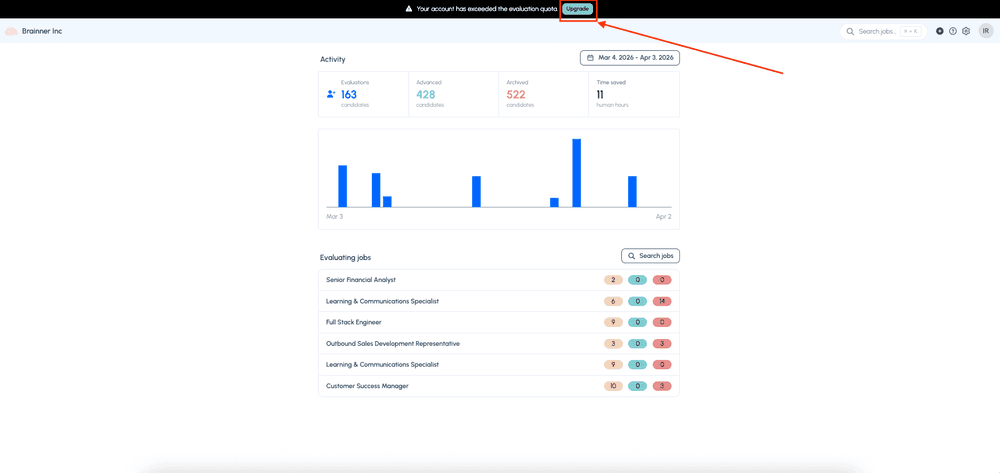
1. Log in to your Brainner Trial account and click on the Upgrade button on top.
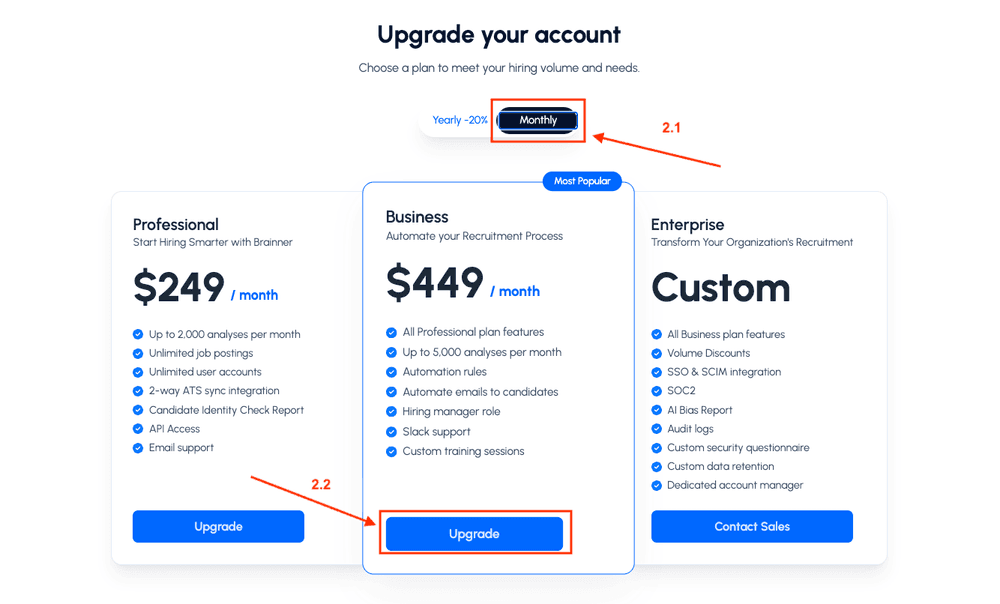
2. Select either the Monthly or Yearly plans, then click the Upgrade button for your preferred option.Billing tab.
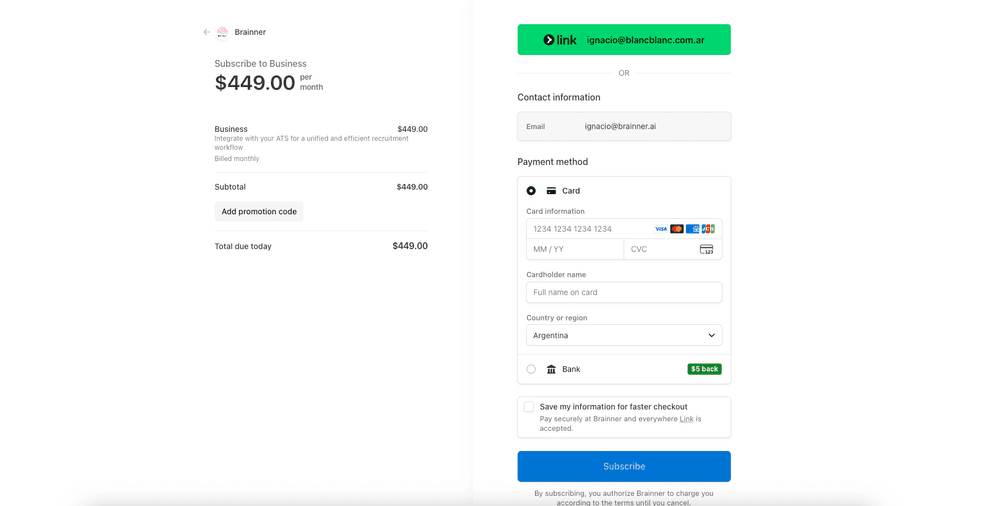
3. Enter your payment information and click Subscribe.
You're all set! You can now fully utilize our features. If you have any questions, feel free to reach out at support@brainner.ai.