How to check your Credits Usage
In this guide, you’ll learn how to check your usage for the current period. Follow these steps:
1. Log in to your Brainner account.
2. Click Settings on the top right corner.
3. Navigate to the Billing tab.
4. Review your current usage compared to your monthly quota based on your plan.
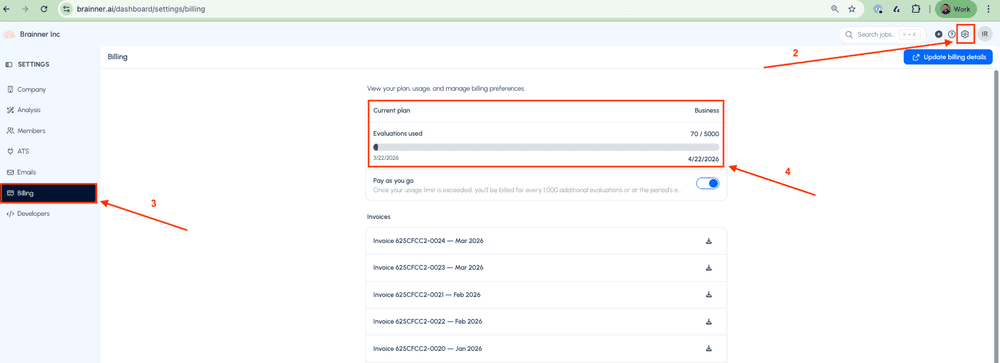
*Note: If you enable Pay-As-You-Go, candidates will continue to be analyzed after you reach your monthly quota. You’ll be billed $0.0995 per additional evaluation.
If you have any questions, feel free to reach out to our team at support@brainner.ai