How to add New Members to my Team
In this guide, you’ll learn how to add new members to your team. Follow these steps:
1. Log in to your Brainner account.
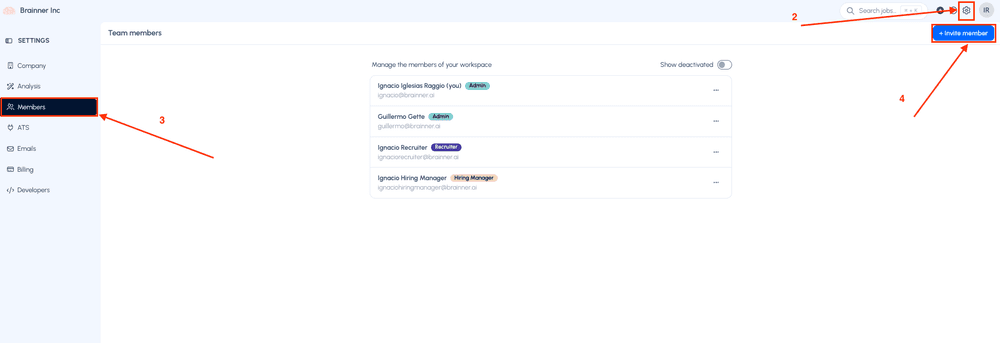
2. Click Settings on the top right corner.
3. Navigate to the Members tab.
4. Click Invite Member.
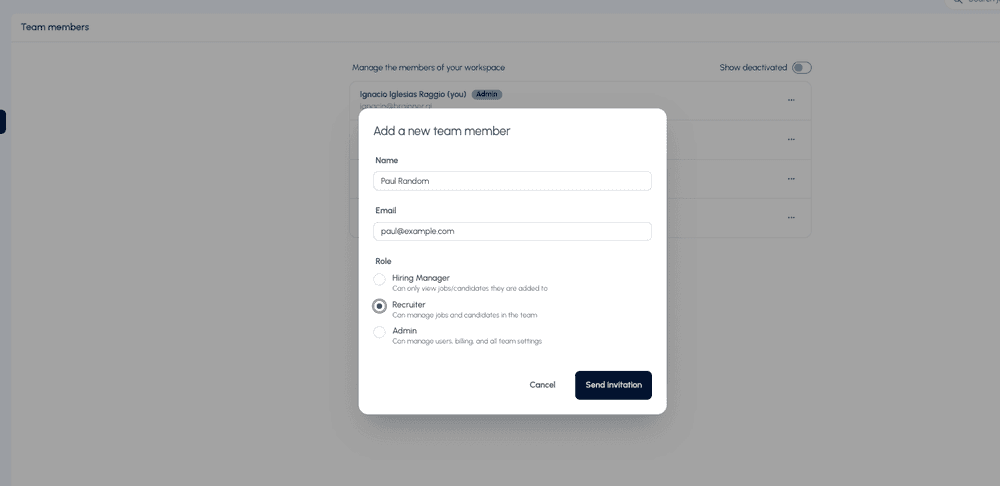
5. Enter the Name, Email of the new member, select the role to assign and then click Send Invitation. Your colleague will receive an email to log in.
If you have any questions, please email us at support@brainner.ai.