Setting up the Bamboo HR integration
In this guide you will know how to fully configure your Bamboo HR integration with Brainner.
*Note: You must be a team with admin rights in Brainner and Admin rights in Bamboo HR to set up this integration.
1. Log in to your Brainner account.
2. Click Settings on the top right corner.
3. Click on the ATS tab.
4. Select Bamboo HR from the list of integrations.
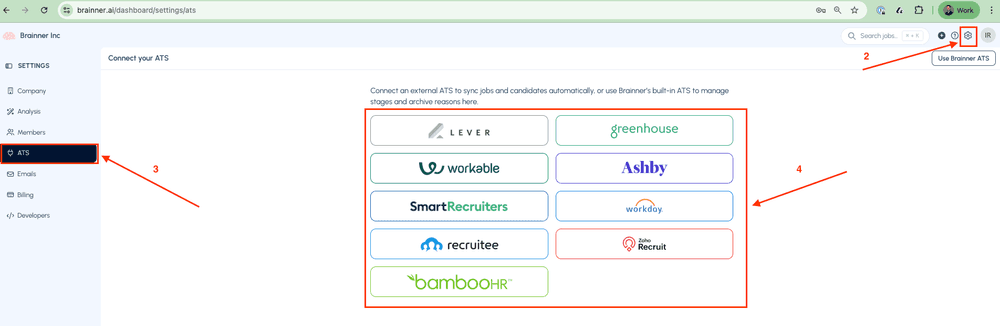
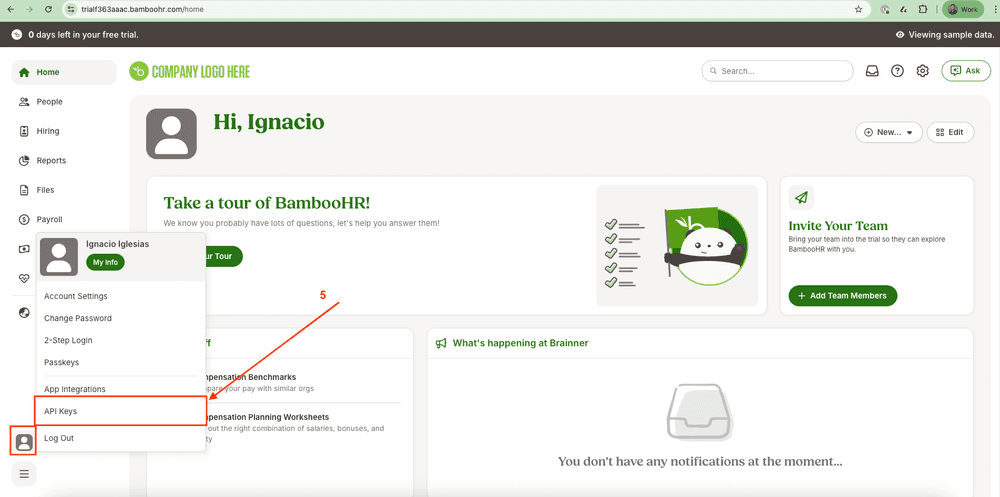
5. Go to Bamboo HR platform and click Profile Icon > API Keys
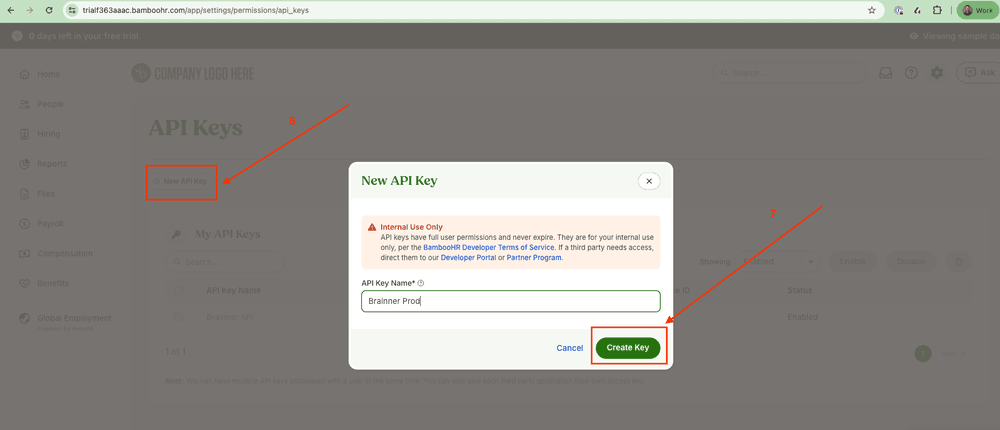
6. Click New API Key
7. Enter the API Key Name and click Create Key
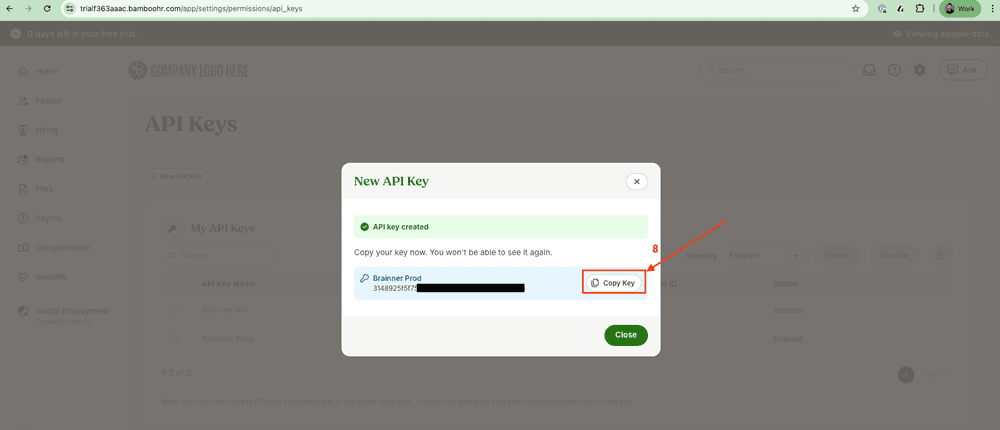
8. Click Copy Key
11. Go to Brainner and paste the API Token
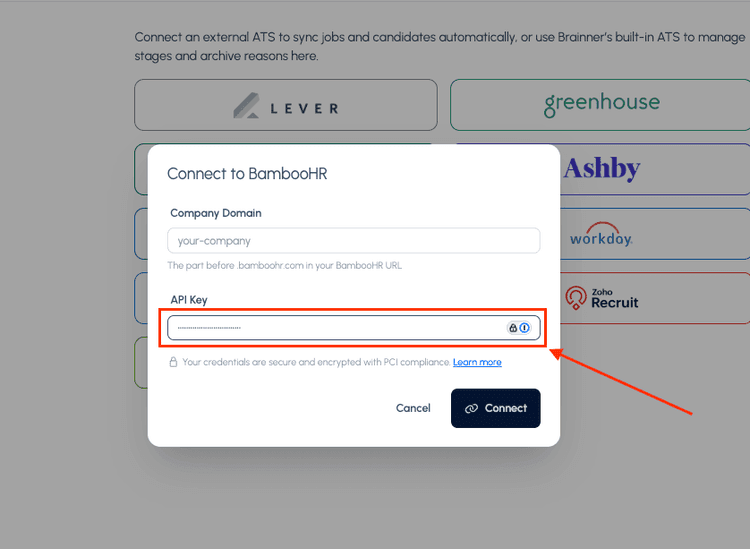
12. Enter the Company Domain associated with your Bamboo HR account (refer to the image below for guidance).

13. Click Connect
14. Click Allow Access to allow Brainner to access you Bamboo account.
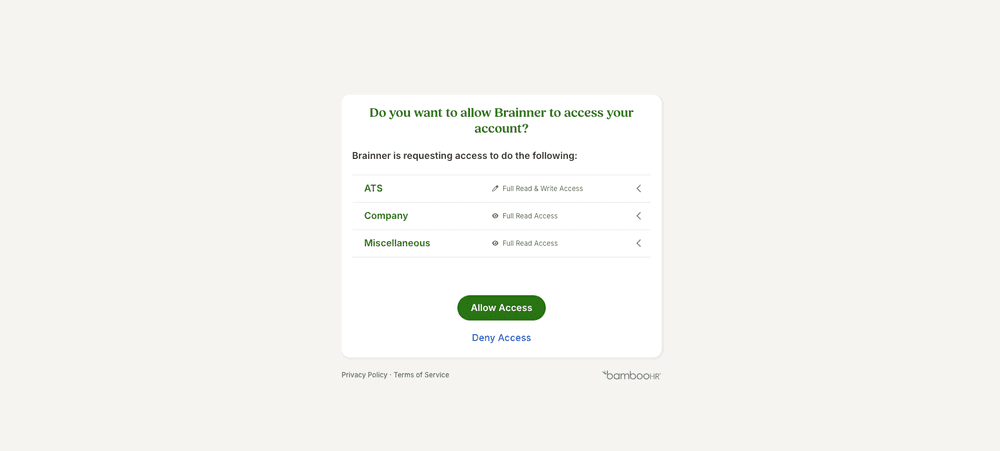
- Congratulations! The integration between Brainner and Bamboo is ready!
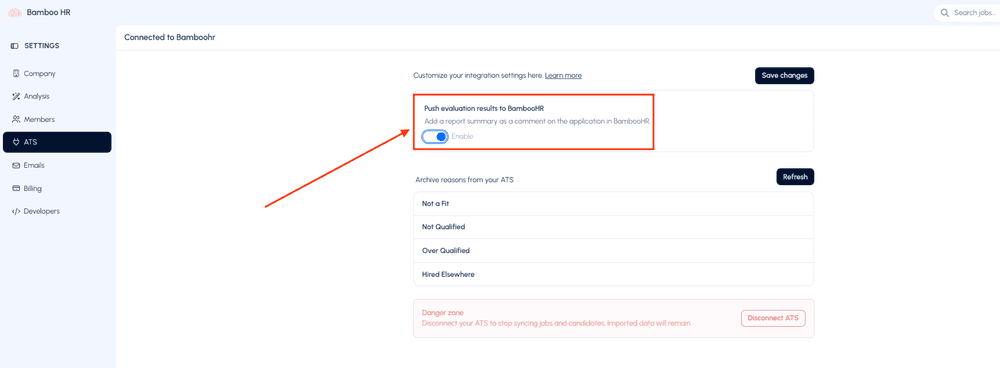
15. In https://www.brainner.ai/dashboard/settings/ats decide if you want to Push evaluation results to BambooHR and Save Changes
If you have any questions, feel free to reach out to our team at support@brainner.ai